
Turn any phone into a wireless PC controller
Virtual Gamepad is a free, open-source app that turns your phone into a low-latency wireless gamepad for your PC. No extra hardware, no subscriptions — just install and play.
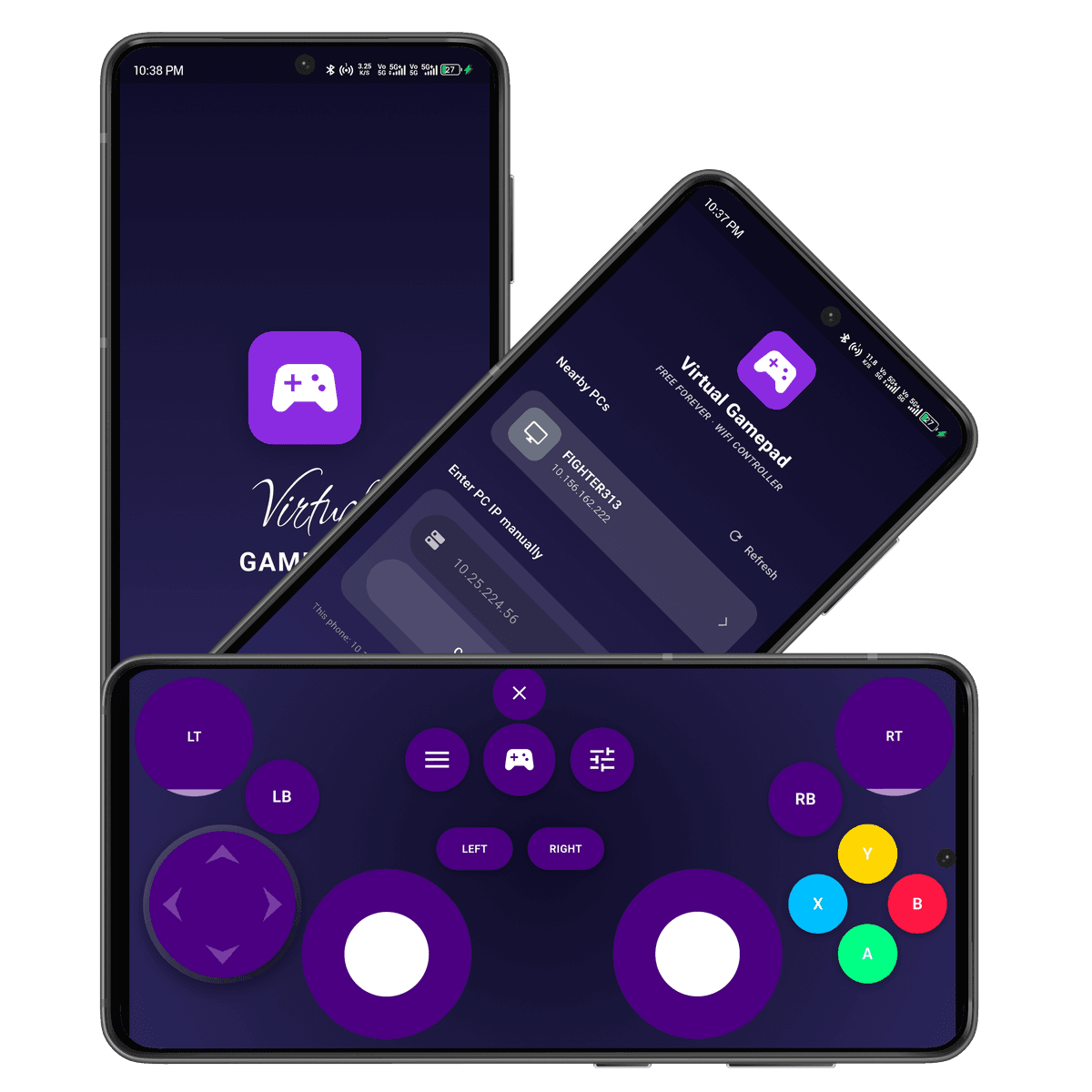
Everything you need, nothing you don't
Virtual Gamepad focuses on doing one thing well: turning the phone already in your pocket into a reliable PC controller.
Low-latency input
Touch input is sent straight over your local network with minimal overhead, so button presses and stick movement feel immediate rather than delayed.
No cables, no dongles
Connects over Wi-Fi to a lightweight desktop companion — no Bluetooth pairing dance, no extra hardware to buy or carry around.
Fully customizable layout
Rearrange buttons, resize thumbsticks, and save layouts per game, so the on-screen controller always matches what you're playing.
Private by design
Everything stays on your local network. There's no cloud relay, no account, and no telemetry collecting your inputs or usage.
Cross-platform
A Windows desktop companion, paired with an Android client, covers the setups most PC gamers actually run.
Fully open source
Every line of the client and server is public under the MIT license — audit it, fork it, or contribute a fix back upstream.
Set up in under two minutes
No accounts, no drivers, no configuration files to edit by hand.
- 1
Install both apps
Grab the desktop companion for Windows or Linux, and the client app for your Android phone, from the Download page.
- 2
Connect over Wi-Fi
Open the app on your phone while it's on the same network as your PC. It discovers the desktop companion automatically.
- 3
Start playing
Your phone now shows up as a regular game controller to Windows or Linux — no extra setup needed inside your games.
What the community says
Feedback from people running Virtual Gamepad day to day.
“Set it up on my living room PC in about a minute. Input feels immediate even over 5GHz Wi-Fi, which is the part I was most skeptical about.”
“I game on a laptop and never wanted to carry a physical controller around. This solved that completely, and the layout editor means every game gets its own setup.”
“Most 'gamepad on your phone' projects quietly assume Windows. This one actually works on my Windows desktop out of the box, uinput and all.”
Frequently asked questions
Ready to leave the cables behind?
Virtual Gamepad is free, open source, and takes less time to set up than it took to read this page.